1:"$Sreact.fragment" 2:I[94970,[],"ClientSegmentRoot"] 3:I[22043,["2202","static/chunks/eec3d76d-b0faa6d75d7a379c.js","4506","static/chunks/f97e080b-7d05500ceb72c00f.js","4613","static/chunks/f25cdb8d-8a40403a00da3de6.js","512","static/chunks/9c4e2130-fad4f9996520b614.js","4777","static/chunks/66ec4792-8f1d76f3eac36d71.js","5760","static/chunks/f7333993-5a49934ecafa80c0.js","6446","static/chunks/53c13509-60b963c1451de384.js","3873","static/chunks/3d47b92a-d75b5a254e51e43c.js","3063","static/chunks/3063-be311613017a0b38.js","5361","static/chunks/5361-b809ec90f199a45d.js","6874","static/chunks/6874-e23eaf18edb19d34.js","2714","static/chunks/2714-704546d8ac685673.js","8857","static/chunks/8857-94a7647805c6c87c.js","9085","static/chunks/9085-1cb7b3249d74244d.js","7177","static/chunks/app/layout-5d026c0cf201e24f.js"],"default"] 4:I[87555,[],""] 5:I[31295,[],""] 7:I[18792,["3063","static/chunks/3063-be311613017a0b38.js","8156","static/chunks/app/blogs/page-9fa7c4dd0eefbed9.js"],"default"] 8:I[43354,["3063","static/chunks/3063-be311613017a0b38.js","8156","static/chunks/app/blogs/page-9fa7c4dd0eefbed9.js"],"default"] 9:I[32662,["3063","static/chunks/3063-be311613017a0b38.js","8156","static/chunks/app/blogs/page-9fa7c4dd0eefbed9.js"],"default"] f:I[2112,["3063","static/chunks/3063-be311613017a0b38.js","8156","static/chunks/app/blogs/page-9fa7c4dd0eefbed9.js"],"default"] 10:I[59665,[],"OutletBoundary"] 13:I[59665,[],"ViewportBoundary"] 15:I[59665,[],"MetadataBoundary"] 17:I[26614,[],""] :HL["/_next/static/css/0353b5c084e99d67.css","style"] :HL["/_next/static/css/d83c5a728cc8ebc2.css","style"] :HL["/_next/static/css/cfb18acb3accb3c3.css","style"] :HL["/_next/static/css/f7b288601d664ec8.css","style"] :HL["/_next/static/css/cceb6a6cac4bb783.css","style"] :HL["/_next/static/css/8425c997529ac0f4.css","style"] a:T2756, Whether you're launching a game-changing startup app or a [small business tool](https://datartinfotech.com/blogs/custom-software-small-business/) that automates your workflows the success of your product hinges on the choices made before the first line of code is ever written. Among the most important decisions is choosing the right tech stack. Even if you\'re not a developer or technical founder, understanding your options gives you clarity over your budget, scalability and long-term success. This guide is built for non-technical entrepreneurs who want to make smart tech decisions without having to learn to code. By the end you'll walk away with the knowledge to evaluate technical advice with confidence and choose a tech foundation that works for your business.

What's in a Stack Anyway

A tech stack is the full set of technologies that power your software from the parts users see to the ones they don't. Think of it like a kitchen for your software. The frontend is your restaurant's dining room polished and interactive. Meanwhile, the backend is the kitchen where all the actual work happens. - Frontend is built with tools like React Angular or Vue which manage layout, user experience and interface. - Backend includes languages and frameworks like Node Python PHP or .NET which handle user requests, data processing and server-side logic. ##### Some popular full tech stacks for small business apps include: **MERN** (MongoDB, Express.js, React Node.js)\ Known for speed flexibility and JavaScript end to end. **LAMP** (Linux, Apache, MySQL, PHP)\ Budget friendly with a long legacy of powering business apps. **MEAN** (MongoDB, Express.js, Angular, Node.js)\ Ideal for modern apps with dynamic user interfaces. Understanding your technology stack for small business apps is the first step to ensuring your project is built on solid ground.

Why the Stack You Choose Can Make or Break Your Project

Let's look beyond the code and talk about real business outcomes. #### Speed and Agility The right stack accelerates development timelines, lets your team work faster and shortens your time to market. Choosing the wrong tech stack means delays scope creep and more development sprints than you budgeted for. #### Performance That Keeps Users Engaged Fast load times, reliable uptime and smooth interactions are all tied directly to your tech stack. Users don't care what language your app is written in but they'll bounce fast if it lags. #### Scalability That Grows With You Your early users might be 50 loyal customers. But what happens when that number jumps to 5000. Your backend and frontend technologies should be ready to grow with you without needing a full rebuild. #### Security That Keeps You Compliant Different stacks offer different levels of built in security. If you're in finance, health or legal you need a tech stack with robust security features and compliance standards baked in. #### Hiring and Support That Doesn't Cost a Fortune Going with a rare or outdated tech might make your current developers happy. But what happens when you need to expand your team or find new talent. Choose tech with a strong community and a large pool of experienced developers. #### Alignment With Business Strategy Some stacks are great for rapid prototyping. Others shine when long term maintainability is your priority. The best tech stack for startups isn't always the one with the most stars on GitHub, it's the one that matches your business roadmap.

Make Smart Stack Decisions With These Key Factors

Let's unpack how to choose a tech stack by breaking it into what matters most. #### 1. What Are You Building and Why Your project type determines your stack direction. A mobile app MVP for user testing will need a lean and fast stack. A large scale SaaS platform needs a stack that supports APIs, microservices and cloud hosting. Match your tech stack to your use case. For example: - Real time features need a stack that handles asynchronous data. - Analytics tools need fast data handling and visual rendering. - Ecommerce platforms need secure payment integration and scalability. #### 2. What Does Growth Look Like for You Some businesses plan to scale gradually, while others need to be ready for viral growth from day one. Choose backend and frontend technologies that let you scale horizontally and vertically. - Node.js is event-driven and handles scale well. - MongoDB is good for unstructured data and rapid growth. - .NET offers robust tools for enterprise-level apps. Scalability is not just about handling more users. It's about building a stack that supports more features, more data and more integrations over time. #### 3. How Much Can You Spend and How Fast Do You Need It Every technology choice has a cost. A stack that uses cutting-edge frameworks may require higher developer salaries or longer build times. Legacy stacks may save on initial costs but create limitations later. If you're on a startup budget or building a proof of concept, look for stacks that offer - Rapid development libraries - Built in tools and templates - Reusable components to reduce dev time The best tech stack for startups is one that balances cost efficiency with flexibility for pivoting. #### 4. What Does Your Team Actually Know An elegant tech stack is useless if no one knows how to work with it. Whether you're building in house or outsourcing your dev work always align with developer skill sets. Use tools and languages that are widely adopted. JavaScript based stacks are a good bet for hiring flexibility. Avoid experimental or niche technologies unless they solve a very specific problem better than mainstream options. #### 5. How Secure Does Your App Need to Be If you're storing personal data handling transactions or working in a regulated industry your stack needs security as a core feature. Security isn't optional, it's infrastructure- - For HIPAA-compliant apps, the .NET stack offers strong guardrails. - Financial applications might require robust encryption protocols available in Python or Java. - Open-source doesn't mean insecure, but you need developers who understand how to secure it. Your technology stack for small business apps should account for both current and future security needs. #### 6. How Deep Is the Ecosystem and Community A strong developer community can be your greatest asset. It means access to plugins, open source tools, troubleshooting support and frequent updates. React for instance is supported by thousands of contributors and has integrations for almost every use case. Compare that to lesser known stacks which might look great in theory but offer little real world help when things go wrong. The larger the ecosystem, the easier your life becomes as the project evolves.

Real World Tech Combos That Work

Let's break down some popular options that consistently perform well for small businesses and startups. #### MERN (MongoDB, Express.js, React, Node.js) - Best for scalable web applications. - JavaScript end to end means fewer context switches for your dev team. - Strong community and open source resources. - Great choice if you want speed, flexibility and the ability to scale fast. #### LAMP (Linux, Apache, MySQL, PHP) - Classic combo known for powering WordPress and early web platforms - Cost effective with tons of documentation - Ideal for content heavy apps that don't need flashy features - Still viable for small business websites and admin tools #### .NET Stack (C#, ASP.NET, SQL Server) - Enterprise level performance with Microsoft's backing - Built in security and compliance tools - Great fit for financial services government or regulated spaces - Requires licensed environments but delivers rock solid reliability #### Flutter with Firebase - Go to combo for mobile MVPs and fast feature rollout - Cross platform out of the box - Firebase handles auth database storage and hosting - Excellent for startups that need a mobile presence yesterday

Avoid These Costly Tech Stack Missteps

Not every tech decision leads to success. These are some common pitfalls you’ll want to avoid. - Chasing trends that don't align with business needs - Choosing a stack with low developer availability - Overengineering when a simpler solution would work - Underestimating the maintenance burden of niche tools - Skipping research and going with what a friend used Choosing the right tech stack means choosing what works for your users, your team and your budget, not just what's popular.

Pro Tips for Non Technical Founders Making Big Tech Calls

You don't need to write code to lead a tech project. But you do need to ask the right questions and plan smart. 1. Engage in a technical discovery phase before development starts. This will surface assumptions, timelines and hidden costs early. 2. Work with consultants who specialize in custom software tech stacks. They'll help you translate business needs into technology decisions. 3. And remember, every hour spent planning your stack is ten hours saved in development and debugging.

Bring It All Together and Build the Right Way

Choosing the right tech stack isn't just a technical task. It's a business decision with long term consequences. The right custom software tech stack powers your growth, improves user satisfaction, reduces costs and keeps your project maintainable over time. Whether you\'re building the next big thing or just streamlining operations for your small business this decision deserves careful thought. Need a second opinion or full guidance on your project's stack?\ Schedule a [free consultation](https://datartinfotech.com/contact/) with our expert dev team today and get clarity before you write a single line of code. b:T2804, In today’s fast-moving digital world, size isn’t the only thing that matters. Small businesses are proving they can offer just as much value as big corporations—sometimes even more. One of the key ways they do it is through smart use of technology. At the center of this shift is custom software for small businesses. The right technology doesn’t just help you run your business. It helps you grow, improve customer experiences, and gain a real edge over larger competitors. In this post, we’ll break down what custom software really means, why it matters, and how it can help small businesses thrive. If you're looking for practical insights and real examples, you’re in the right place.
## What Is Custom Software? If the phrase “custom software” sounds overly technical, don’t worry. It’s actually quite simple. Custom software is a digital solution designed specifically for your business. Unlike off-the-shelf software that’s built to serve the general market, custom software is developed to match your exact needs, processes, and goals. Think of it like this: off-the-shelf software is a one-size-fits-all shirt. It might fit okay, but it won’t feel right everywhere. Custom software for small businesses is like a tailored shirt. It’s built just for you, based on how your business runs and what your customers expect. With custom business software solutions, you can streamline operations, automate routine tasks, and focus more on growing your business instead of fighting with your tools.
## The Challenges Small Businesses Face Competing with Giants Small businesses bring innovation, personality, and flexibility to the table. But when it comes to competing with larger players, there are clear challenges. #### Limited Budgets Most small business owners have to make every dollar count. Investing in high-end enterprise tools or large tech teams just isn’t an option. Many settle for free or low-cost tools, even if they don’t quite fit. #### Operational Inefficiencies Without the right systems in place, tasks take longer than they should. Many small businesses still rely on manual processes or a mix of disconnected software tools that don’t talk to each other. According to [XLReporting ](https://www.xlreporting.com/blog/stop-relying-on-spreadsheets), 90% of all businesses rely on spreadsheets for their financial reporting and budgeting, which can lead to inefficiencies and errors. #### Lack of Automation Larger businesses automate everything from inventory to customer support. Small businesses often can’t, simply because their tools don’t allow it or aren’t flexible enough. #### Slow Response to Market Shifts When the market changes, big businesses can adapt quickly. They have teams ready to shift gears, launch new products, or adjust operations. Smaller companies usually need more time and effort to pivot. #### Gaps in Customer Experience Without the right tools, it’s hard to offer fast, personalized service at scale. This can make it tough to compete on experience, even if your product is top-notch.
## How Custom Software Levels the Playing Field This is where custom software for small businesses really shines. It helps you operate like a much larger company—without the overhead. Let’s explore the core benefits. #### Automation and Efficiency Every business has repetitive tasks that eat up time. Things like data entry, order tracking, and inventory updates can all be automated with the right software. For example, a local landscaping company used custom scheduling software to automate job assignments and invoice creation. What used to take several hours a week now happens in minutes. With more time on their hands, the team could focus on serving more clients. Custom business software solutions make your processes faster and more accurate, helping you do more with less. #### Better Customer Experience Today’s customers expect convenience, speed, and personalization. If you’re relying on outdated tools, it’s tough to keep up. With custom software for small businesses, you can build customer portals, mobile apps, or booking tools that feel modern and easy to use. These tools can reflect your branding, support your workflows, and offer the experience your audience actually wants. Whether it’s faster checkout, self-service options, or tailored promotions, custom software helps you create experiences that leave a lasting impression. #### Easy Scalability One of the biggest frustrations with off-the-shelf tools is outgrowing them. Many small businesses start with free or low-cost solutions, only to find they don’t support their growth. Custom software evolves with you. Need new features as your team grows? Want to expand into new markets or support more users? You can do that without switching platforms or losing data. With custom software for small businesses, you're investing in a foundation that grows as you grow. #### Cost-Effective in the Long Run At first glance, custom software may seem more expensive. But the long-term savings often make it the better financial choice. Off-the-shelf tools come with monthly fees, licensing costs, and hidden expenses. Worse, you might need to combine multiple platforms to get all the features you need. Custom solutions reduce ongoing costs by eliminating unnecessary tools and centralizing your operations. You also avoid paying for features you’ll never use. When you add up the savings in time, subscriptions, and errors, custom software for small businesses often pays for itself within the first couple of years. #### Stronger Competitive Advantage Your business has something unique to offer—your product, your service, your approach. Your software should reflect that. Custom software allows you to build features around your competitive strengths. Whether it’s a custom loyalty app, a proprietary workflow, or an innovative customer dashboard, you get to build something that competitors can’t copy. This kind of technology-driven uniqueness gives you a powerful competitive edge through technology.
## How SMBs Are Embracing Custom Software: Industry Insights Instead of looking at individual stories, let’s explore the broader trends that show how custom software for small businesses is becoming a strategic necessity rather than a luxury. #### Digital Transformation Is on the Rise According to a 2024 [Statista report](https://www.statista.com/statistics/870924/worldwide-digital-transformation-market-size/), global spending on digital transformation is projected to reach 2.5 trillion U.S. dollars, reflecting a significant increase in technology investments by businesses, including small and medium-sized enterprises. #### Automation Tops the Priority List A [survey from Deloitte](https://www2.deloitte.com/us/en/insights/topics/digital-transformation/generative-ai-and-the-future-enterprise.html) found that nearly 80% of business and IT leaders expect generative AI to drive significant transformation in their industries in the next three years, underscoring the growing emphasis on automation and advanced technologies. #### Off-the-Shelf Tools Aren’t Always Enough While platforms like Shopify, QuickBooks, and Salesforce offer solid functionality, many businesses find that they eventually outgrow them or require costly integrations to make everything work together. Custom solutions offer a unified, streamlined approach, which is often more efficient and cost-effective in the long run. #### Custom Software and Customer Loyalty In a [study by Salesforce](https://www.salesforce.com/news/stories/state-of-the-connected-customer-report-outlines-changing-standards-for-customer-engagement), 84% of customers said the experience a company provides is as important as its products or services. That experience often hinges on how well digital touchpoints are integrated and personalized—something that off-the-shelf systems can’t always offer. Custom portals, apps, and CRM systems help smaller businesses deliver seamless, branded interactions. #### Funding and Accessibility Have Improved Historically, custom software was seen as expensive and out of reach for small companies. But thanks to the rise of low-code platforms, modular development, and affordable freelance or agency options, it’s now more accessible than ever. Many small businesses are starting with small, focused tools (like a custom dashboard or booking system) and expanding over time.
## Is Custom Software Right for You? Not every business needs a fully custom solution. But for many small business owners, it’s exactly what they’ve been missing. Here are a few questions to help you decide: - Are your current tools limiting your growth? - Do you have business processes that don’t fit into off-the-shelf systems? - Are you using multiple platforms to handle simple tasks? - Is your team spending time on work that could be automated? - Have you outgrown your current tools or subscriptions? If you answered yes to even a couple of these, [custom software for small businesses](https://datartinfotech.com/customdevelopment/) might be worth exploring.
## Final Thoughts Being small is no longer a disadvantage. In fact, it can be a competitive strength when you have the right technology in place. Custom software helps small businesses work smarter, deliver better customer experiences, and grow more efficiently. Instead of trying to fit into generic, off-the-shelf tools, you can build solutions that truly match your goals and workflows. Datart Infotech helps small and mid-sized businesses unlock their full potential through tailored [software solutions](https://datartinfotech.com/customdevelopment/). Whether you need to automate operations, improve customer engagement, or scale your business tools, our team is here to build exactly what you need. It’s not about being the biggest company in the market. It’s about being the most adaptable, innovative, and customer-focused. **Curious what a custom solution could do for you? [Talk to our experts](https://datartinfotech.com/contact/) today and let’s bring your vision to life.** c:T1efc, In our rapidly evolving digital landscape, businesses are reshaping their operations by embracing the latest IT solutions. Leaders are realizing that the importance of information technology goes beyond basic automation. It acts as a key player that boosts efficiency, sparks innovation, and fuels growth. With global IT spending expected to reach about $5.6 trillion by 2025, companies are investing heavily in tools that streamline workflows, enhance decision-making, and help them stay ahead of the competition. This really shows how vital information technology has become for businesses today. ### Enhancing Operational Efficiency These days, more and more businesses are embracing automation, ERP systems, and cloud platforms to streamline their workflows and reduce the need for manual tasks. For example, when automated supply chain tools are integrated with ERP systems, it not only helps to significantly lower operational costs but also improves the way resources are managed. This shift highlights the importance of information technology as it allows companies to redirect valuable human resources toward more strategic initiatives. With cutting-edge systems at work, mistakes are kept to a minimum, and productivity really takes off. This clearly shows that putting money into IT is crucial for enhancing overall operational efficiency. ### Improving Global Communication Effective communication is crucial for any organization aiming to succeed. Thanks to digital platforms like Microsoft Teams, Slack, and Zoom, collaboration has really transformed, enabling people to connect in real-time from anywhere around the globe. These platforms are perfect for remote and hybrid work setups, ensuring that teams stay connected and informed, regardless of how far apart they are. This effortless connectivity demonstrates the importance of information technology in removing communication barriers and cultivating a lively, collaborative atmosphere at work. ### Strengthening Data Management and Security Data has really become the lifeblood of modern organizations and managing it well is essential for making informed decisions. Thanks to advanced IT systems, companies can gather, store, and analyze massive amounts of data, transforming those raw numbers into meaningful insights. For example, business intelligence tools help executives monitor trends and forecast performance, underscoring the critical role of information technology. At the same time, robust cybersecurity measures, like multi-factor authentication, encryption, and AI-powered threat detection, protect sensitive information, ensuring that the benefits of IT don’t come at the cost of data security. ### Enhancing Customer Experience Through Personalization In order to meet the high expectations of today’s consumers, a personalized approach to customer service is a must. With the help of IT-driven solutions like AI-powered customer relationship management (CRM) systems and chatbots, businesses can tailor their interactions and create customized offers. Retailers and service providers can monitor customer behavior in real time, which helps them create targeted marketing strategies that not only increase satisfaction but also nurture loyalty. This approach highlights the importance of information technology, showcasing how modern tools empower companies to forge stronger connections with their customers and adapt to the ever-changing market landscape. ### Empowering Data-Driven Decision Making In the highly competitive world we live in today, just going with your gut isn't enough anymore. Companies are turning to advanced analytics platforms to help them make decisions based on solid data. By weaving business intelligence tools into their IT systems, organizations can tap into real-time insights about sales trends, inventory status, and market shifts. This kind of information empowers executives to make smart choices that fuel growth and reduce risks. The knack for transforming complex data into actionable strategies highlights the importance of information technology in helping leaders guide their companies effectively. ### Fostering Innovation and Competitive Advantage Innovation is what sets companies apart in today’s rapidly changing market, and cutting-edge IT solutions play a crucial role in this evolution. Technologies like artificial intelligence (AI), the Internet of Things (IoT), blockchain, and cloud computing are empowering businesses to create new models and introduce groundbreaking products. According to research from Statista, global IT spending is expected to keep climbing, showcasing a strong dedication to technological progress. By consistently investing in these forward-thinking tools, companies reinforce the vital role of information technology as a driver of creativity, competitive edge, and sustainable growth. ### Optimizing Cost Management and Resource Allocation Effective cost management is essential for maintaining a competitive edge, and IT provides some fantastic solutions for optimizing expenses. By shifting from traditional, capital-heavy infrastructures to cloud-based models, companies can scale their resources on the fly while cutting down on initial costs. Virtualization and managed IT services help streamline operations, reduce waste, and boost overall efficiency. These cost-saving measures illustrate the importance of information technology in helping businesses gain financial flexibility and achieve operational excellence. ### Advancing Digital Transformation Digital transformation is all about reimagining how businesses operate and how they can leverage modern technology to its fullest potential. Companies that embrace thorough digital transformation strategies don’t just update their old systems; they also weave innovative tools throughout their entire organization. This strategic overhaul is a vivid demonstration of the importance of information technology in boosting agility, improving responsiveness, and promoting ongoing growth in our rapidly evolving world. ### Building a Robust IT Infrastructure A strong IT infrastructure is essential for any successful digital strategy. By investing in cutting-edge networks, cloud services, and robust cybersecurity measures, organizations can effectively support high-performance applications and scale their operations. A well-kept IT infrastructure is crucial for managing data, fostering collaboration, and driving innovation. This continuous focus on developing infrastructure underscores the importance of information technology in building a solid foundation for sustainable, future-ready business operations. ### The Future of Business Technology Solutions The world of business technology is changing at a breakneck pace. With everything from AI-driven analytics to cutting-edge cloud services, these innovations are reshaping the way companies function around the globe. By keeping up with digital trends and consistently investing in new technologies, organizations can tap into fresh growth opportunities. The evolving digital ecosystem reinforces the importance of information technology as a driving force behind modern business success and long-term competitiveness. ### Final Words Modern businesses are starting to see that having advanced IT systems isn’t just a nice-to-have; it’s essential for boosting efficiency, sparking innovation, and staying ahead of the competition. By putting money into cutting-edge technology solutions, pushing forward with digital transformation strategies, and creating robust IT infrastructures, companies can tap into substantial value and set themselves up for success down the line. In the end, grasping and adopting these innovations highlights the importance of information technology in shaping strategic choices, improving performance, and ensuring sustainable growth in a constantly changing digital world. d:T3450, ### Why Your Mobile App Needs to Get Smarter (Fast) ### Mobile apps have undergone a monumental transformation in the last decade. From simple tools offering limited features, they have evolved into intelligent ecosystems driven by user behavior, contextual data, and real-time adaptability. In 2025, this evolution is being supercharged by Artificial Intelligence and Machine Learning. AI and ML are no longer futuristic technologies. They are the backbone of modern digital experiences. Whether it is a shopping app recommending your next purchase or a fitness tracker adjusting your goals based on your progress, AI-powered mobile apps are all around us. These technologies are setting new benchmarks in usability, personalization, and automation. In this guide, we explore how AI and ML are reshaping mobile app development in 2025 from core definitions to real-world use cases, benefits, challenges, and future trends. Whether you are a business leader, developer, or simply curious, this guide is your roadmap to building smarter apps.
### What’s the Real Difference Between AI and ML? (in the Context of Mobile Apps) To harness the power of AI in mobile app development, it is essential to understand what these technologies are and how they differ. Artificial Intelligence refers to computer systems designed to mimic human intelligence, learning, reasoning, problem-solving, and decision-making. [Machine Learning](https://datartinfotech.com/ml/), a subset of AI, focuses on using algorithms to process data, learn from it, and improve over time without explicit programming. Here is a simplified distinction:
Feature Artificial Intelligence Machine Learning
Function Simulates human behavior Learns from data automatically
Scope Broad, includes ML, NLP, vision, etc. Narrower, focused on data learning
Examples Virtual assistants, robotics Recommendation engines, predictive text


In mobile apps, these technologies are embedded via APIs, SDKs, or native tools like Core ML for Apple and ML Kit for Google. They enable functionalities such as facial recognition, smart replies, and adaptive interfaces by integrating with the app's backend or processing on-device.
### Four Benefits of AI & ML in Mobile App Development Integrating AI and ML into apps is not just a trend, it is a strategic advantage. Here are the top benefits: - **Improved User Experience** AI enhances usability by delivering personalized experiences. Think of apps that adapt to user preferences, suggest relevant content, or modify UI based on user behavior. This kind of intelligent UX doesn’t just drive retention, it also influences [how better UX and web architecture improve SEO.](https://datartinfotech.com/blogs/web-development-impact-on-seo/) - **Automation at Scale** AI-driven chatbots and virtual assistants streamline customer support, offering 24 by 7 assistance. Predictive text and voice commands also help users navigate apps faster, improving satisfaction. - **Better Security** AI bolsters app security through fraud detection algorithms, biometric authentication such as facial or fingerprint recognition, and real-time threat monitoring. These smart security layers build user trust. - **Data-Driven Decision Making** AI and ML convert massive datasets into actionable insights. Businesses can track user behavior, analyze conversion funnels, and optimize app features using real-time analytics leading to smarter business decisions.
### What AI Looks Like in Mobile Apps You Use Every Day
Speed Is Your Site’s First Impression

Here are some concrete examples of machine learning in apps across various industries:
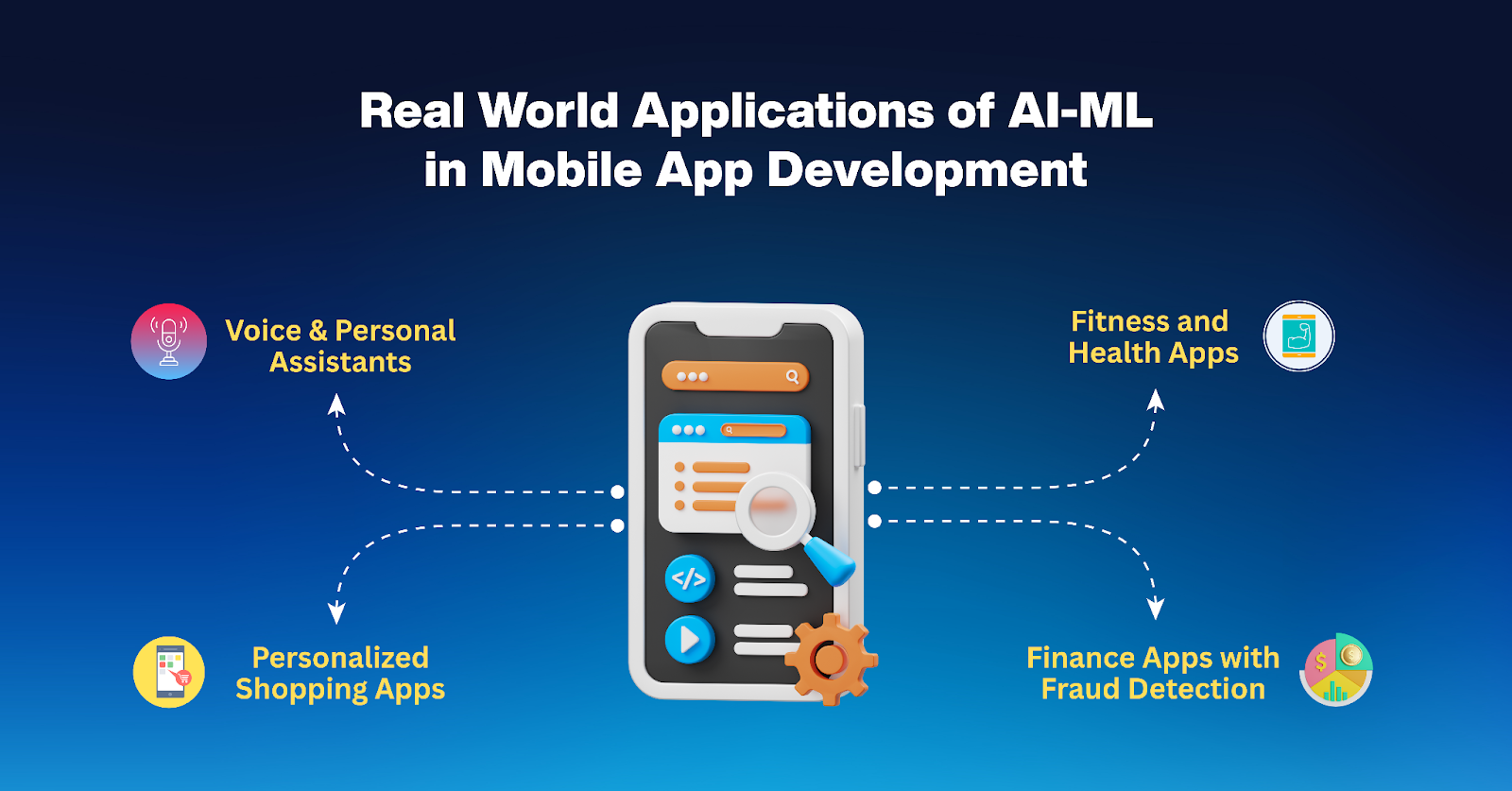
- **Voice Assistants** Siri, Google Assistant, and Alexa are prime examples of natural language processing and [generative AI capabilities](https://datartinfotech.com/ai/). They process spoken language, understand context, and deliver voice-based interaction creating a hands-free experience. - **Personalized Shopping Apps** Retail giants like Amazon and Flipkart use recommendation engines that predict what you will want to buy next based on previous purchases, browsing history, and preferences. These features directly increase [Average Order Value (AOV) by 15–30%](https://blog.shellkode.com/genai-in-retail-transforming-the-customer-journey-from-checkout-to-agents-a3ce7c3ae944) and improve user satisfaction. - **Fitness and Health Apps** Apps like FitBit and MyFitnessPal use AI to personalize workout routines, set health goals, and track dietary habits. They learn from user input and sensor data to provide tailored insights. - **Finance Apps with Fraud Detection** Platforms like PayPal and Stripe implement AI for transaction monitoring and fraud detection. Machine learning models flag suspicious behavior in real time, preventing financial losses. These apps prove that AI and ML aren't just for tech giants. When paired with [custom software](https://datartinfotech.com/blogs/custom-software-small-business/), even small businesses can build powerful, competitive products.
### Top AI and ML Features You Can Integrate in Mobile Apps To stay ahead in 2025, consider integrating these smart features into your mobile apps:
Feature Description
Recommendation Engines Suggests products, content, or services based on user behavior
Chatbots and Virtual Assistants Offers instant help, answers FAQs, and automates support
Image and Voice Recognition Enables facial recognition, voice search, and biometric access
Predictive Search Anticipates queries and provides auto-suggestions in real time
Natural Language Processing Enhances communication with language understanding and sentiment analysis


These features boost user experience, streamline backend processes, and reduce manual workload.
### Challenges and Limitations
Speed Is Your Site’s First Impression

While the potential is immense, there are some hurdles to be aware of:
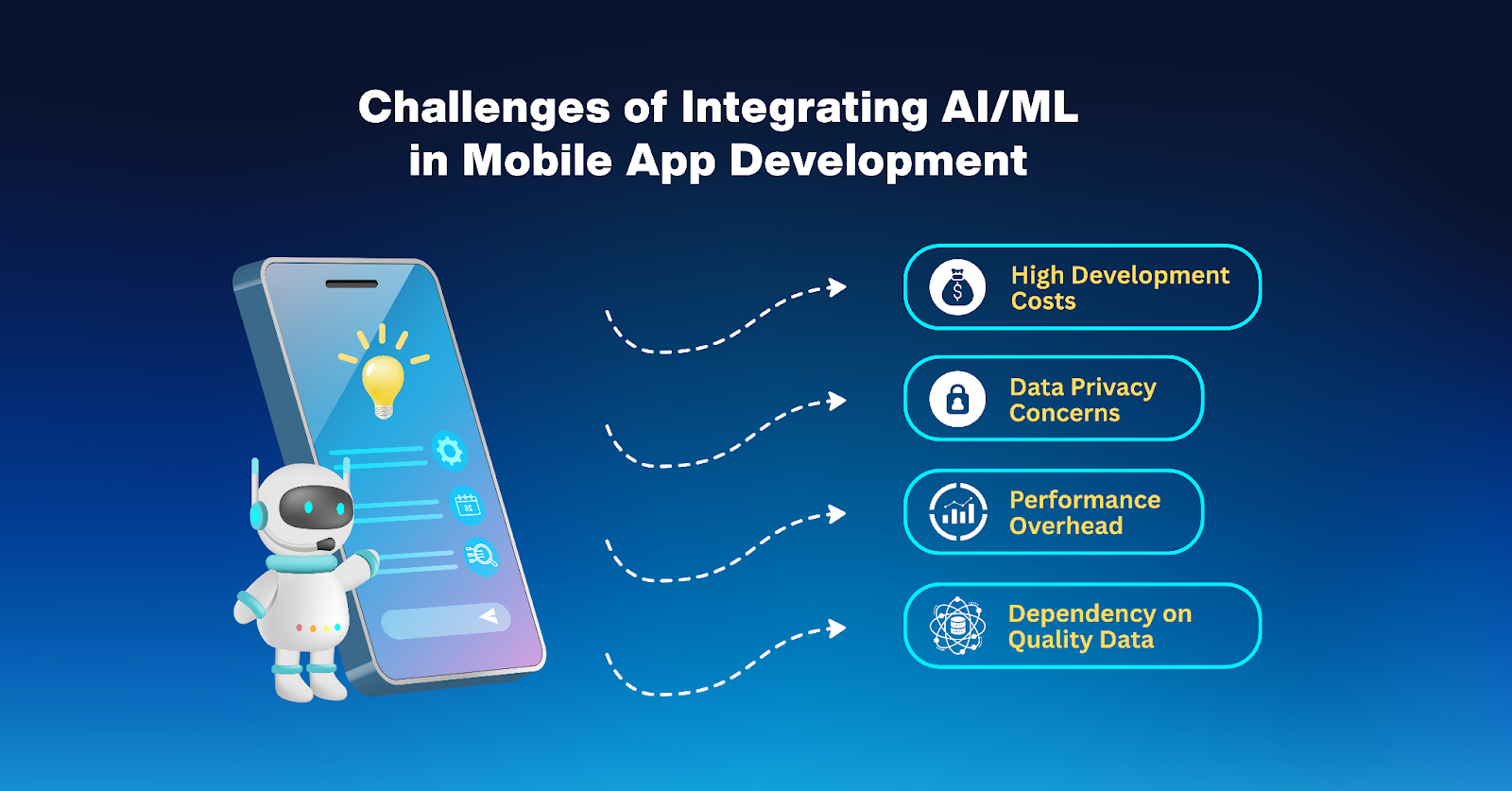
- **High Development Costs** AI and ML integrations often require custom model training, cloud infrastructure, and skilled talent, all of which increase costs. However, [a report by Linux Foundation](https://www.linuxfoundation.org/hubfs/Research%20Reportslfr_marketimpacts25_052725a.pdf?hsLang=en) suggests that using open-source tools and cloud-based AI platforms can reduce the financial burden by up to 50%. - **Data Privacy Concerns** AI thrives on data, but collecting user information raises ethical and legal concerns. Developers must comply with GDPR, CCPA, and other data protection regulations to build user trust. - **Performance Overhead** AI models can strain device resources. Solutions include on-device processing with optimized frameworks like TensorFlow Lite or using Edge AI for distributed computing. - **Dependency on Quality Data** Poor datasets lead to inaccurate predictions. Ensure your data is diverse, updated, and representative to improve model reliability.
### What to Expect from AI in Mobile Apps by 2026 and Beyond
Speed Is Your Site’s First Impression

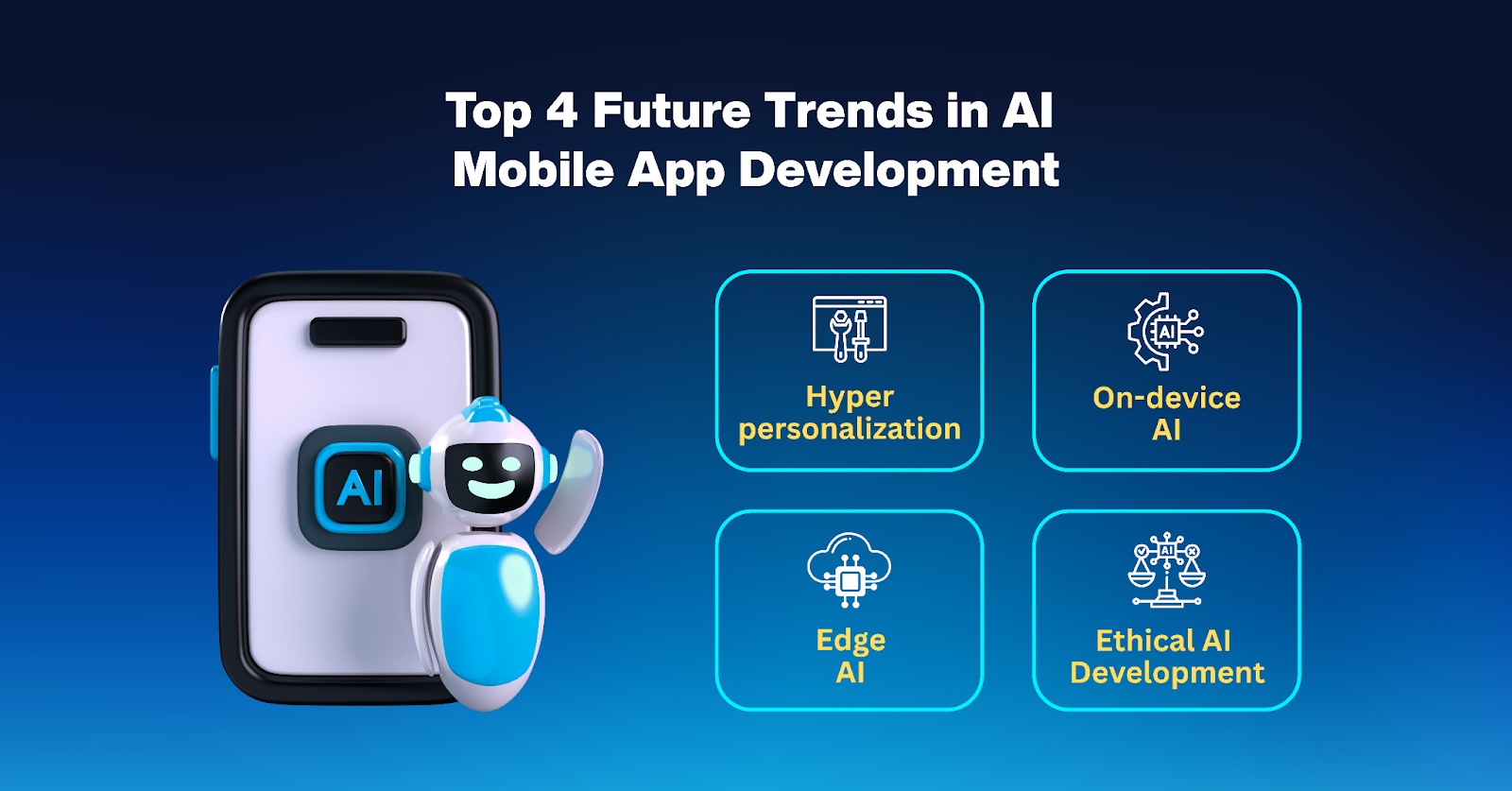
The coming years will see AI becoming even more embedded in mobile development. Here is what to expect: - **Hyper-personalization** Apps will not just recommend content, they will anticipate user needs, moods, and contexts. From playlist curation to fitness suggestions, personalization will be holistic and deeply contextual. - **On-device AI** Thanks to hardware advances, more AI tasks will run locally on devices, enhancing speed and privacy while reducing reliance on cloud computing. - **Edge AI** [Edge AI](https://www.f5.com/glossary/what-is-edge-ai#:~:text=Edge%20AI%20enables%20devices%20at,improving%20data%20privacy%20and%20security.) enables real-time decision-making without constant internet access. Think offline translation apps or autonomous navigation in smart vehicles. - **Ethical AI Development** As AI influences behavior and decisions, there will be greater emphasis on transparency, bias mitigation, and explainable AI, especially in finance, healthcare, and education.
### How to Start Integrating AI & ML into Your App If you are considering building AI-powered mobile apps, here is a step-by-step approach: - **Define Your Business Goals** Do you want to enhance user experience, reduce support costs, or drive conversions? - **Identify AI Use Cases** Examples include chatbots for customer service, predictive analytics for sales, or image recognition for security. - **Partner with the Right Experts** Work with [mobile app development experts](https://datartinfotech.com/mobiledevelopment/) who understand AI and ML integration inside out. They can help choose the right architecture and frameworks for your goals. - **Choose the Right Tools** Popular frameworks include TensorFlow Lite for Android and iOS, Core ML for the Apple ecosystem, Microsoft Azure Cognitive Services, and Google ML Kit. - **Test and Iterate** Start small, gather feedback, and improve models regularly based on real user data.
### AI Isn’t the Future. It’s the Standard. AI and ML have moved from being futuristic concepts to mainstream necessities in mobile app development. Their ability to personalize, automate, and secure experiences makes them indispensable tools for businesses aiming to deliver top-tier digital solutions. In 2025 and beyond, companies that invest in smart features in mobile apps will gain a competitive edge, delight users, and future-proof their products. Need help integrating AI into your mobile app? [Talk to our team today.](https://datartinfotech.com/contact/)
### Frequently Asked Questions
- **How is AI used in mobile app development?** AI is used to personalize content, power chatbots, enhance security with facial recognition, and analyze user data for smarter UX decisions. - **What are some examples of AI-powered mobile apps?** Examples include Google Assistant, Amazon Shopping app, PayPal, and FitBit, all using AI for recommendations, automation, or data analysis. - **Is machine learning in apps only for large enterprises?** No. With tools like TensorFlow Lite and ML Kit, even small businesses can integrate machine learning into their apps affordably. - **How does AI improve user engagement in apps?** AI improves engagement by offering personalized experiences, smarter navigation, and real-time assistance, keeping users invested. - **What are the privacy concerns around AI in mobile apps?** AI requires data collection, which may trigger privacy issues. Developers must follow data protection laws like GDPR and use transparent data practices. - **Can I add AI to my existing mobile app?** Yes. Many AI features can be added post-launch using APIs or modular integrations like chatbots or analytics dashboards. e:T2f53, Behind every top-ranking website is a smart, technically sound foundation. Google doesn’t just evaluate what users see; it also analyzes how your website is built. Whether you're a [small business owner](https://datartinfotech.com/blogs/custom-software-small-business/) planning a redesign or launching your first online presence, understanding how development impacts SEO can make or break your organic visibility. In this article, you will learn: - How site speed affects rankings and conversions - Why mobile responsiveness is essential for SEO success - How developers and SEOs can collaborate to win search Let’s unpack how smart development decisions drive stronger SEO performance.
## Speed Is Your Site’s First Impression Website speed is no longer a luxury. It’s a ranking factor, a user experience benchmark, and often the very first impression your brand makes online. Google’s Core Web Vitals initiative highlights just how essential loading performance, interactivity, and visual stability are to both search engines and users. A slow-loading site frustrates users and discourages them from taking any meaningful action. In fact, [Google data](https://blog.google/products/admanager/increase-speed-of-your-mobile-site-wi/) shows that 53% of mobile site visits are abandoned if pages take longer than 3 seconds to load.
Speed Is Your Site’s First Impression

Source: Think With Google


What causes sluggish performance? Often, it’s technical missteps like bloated code, oversized images, or poor hosting environments. Developers play a direct role in mitigating these problems by optimizing assets and streamlining code. Here are key performance practices developers should implement to boost SEO and user retention: - **[Lazy loading](https://web.dev/explore/fast#lazy-load-images-and-video)**: Defer non-critical images and videos so users see the most important content first without waiting for the entire page to load. - **Code minification**: Compress CSS, JavaScript, and HTML to remove unnecessary characters, reducing file size and improving render speed. - **CDN integration**: Use a content delivery network to distribute assets from servers geographically closer to the user for faster delivery. - **Browser caching and compression**: Enable caching policies and GZIP compression so returning visitors don’t reload every file, reducing strain on the server and improving repeat visit performance. **Pro tip**: Ask your developer to enforce a performance budget. This sets predefined limits on file sizes, script weights, and third-party tools, ensuring that performance remains a design priority, not an afterthought.
## Designed for Thumbs, Ranked by Bots Google now evaluates your website based on how it performs on mobile devices, not desktop. Mobile-first indexing is now the default for [over 70% of websites worldwide](https://ahrefs.com/blog/mobile-first-indexing/). If your mobile experience is clunky, broken, or slow, you’re telling both users and Google that your site is outdated. This often also points to a [tech stack](https://datartinfotech.com/blogs/choosing-the-right-tech-stack/) that is not optimized for modern performance and responsiveness. A responsive, mobile-first design ensures that your content remains readable, your navigation is intuitive, and every interactive element works seamlessly across devices. Developers play a key role here by using frameworks like fluid grids and flexible images that respond dynamically to screen size. And while many site owners believe resizing a browser window is enough to test responsiveness, it’s not. You need to test on real mobile devices with varying operating systems, screen sizes, and connection speeds. Consider what a well-executed mobile experience should deliver: - **Fluid layouts**: Elements resize and rearrange fluidly across screen dimensions without compromising functionality or aesthetics. - **Touch optimization**: Tap targets are sized and spaced for thumbs, reducing frustration and improving usability on smaller screens. - **Fast mobile performance**: Mobile networks vary in speed and stability, so assets must be optimized for quick loading even on slower connections. When your site is mobile-friendly, your SEO improves naturally. You’ll also reduce bounce rates, increase engagement, and provide a modern user experience that reflects well on your brand.
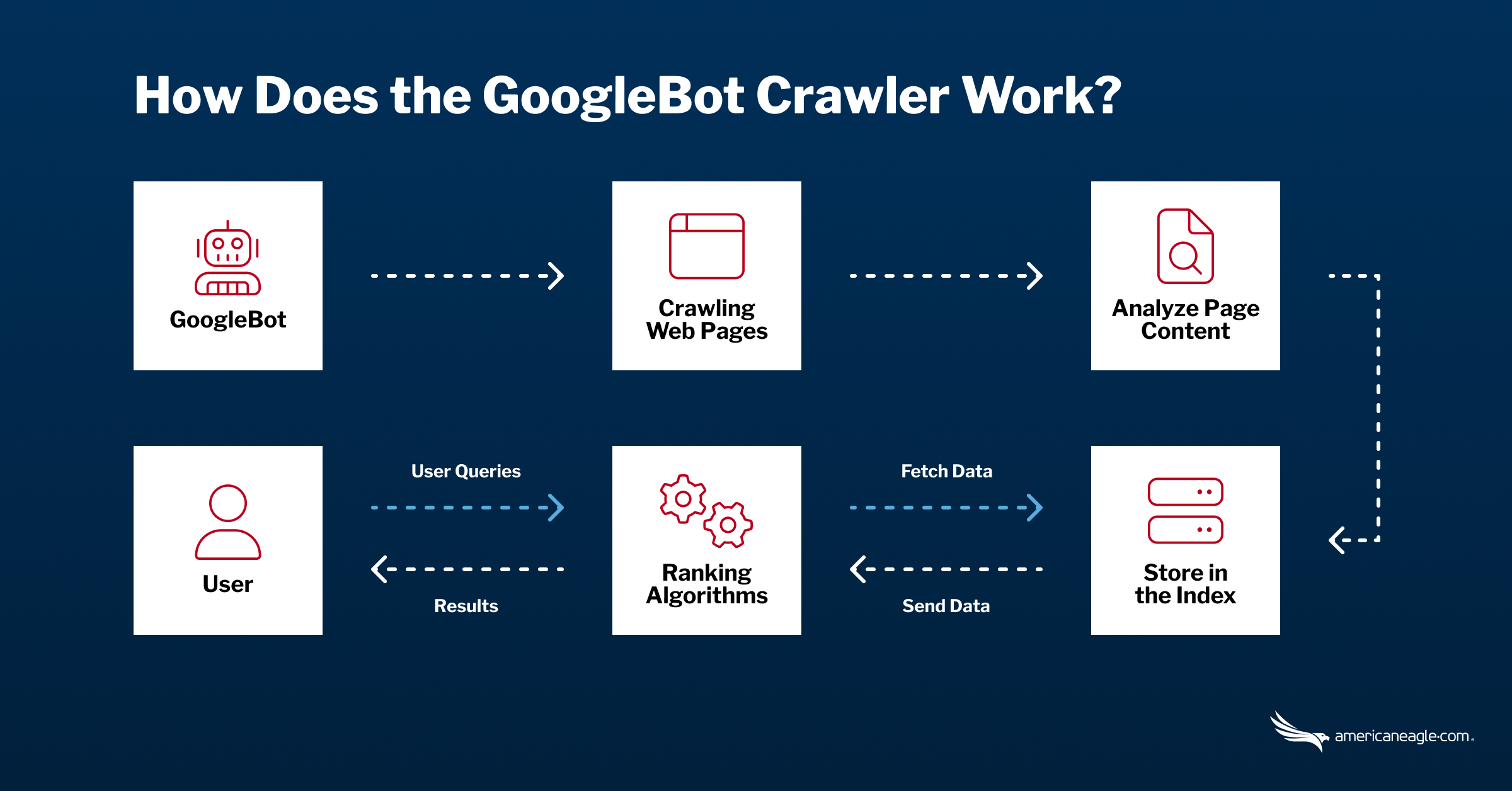
## If Google Can’t Crawl It, It Can’t Rank It Even the best content won’t rank if Google can’t access it. Crawlability refers to how easily search engine bots can navigate your website. Indexability determines whether your pages can be stored in Google’s index and shown in search results. A breakdown in either area can cause major SEO blind spots. Many of these issues are technical in nature and entirely in the developer’s domain. For example, a poorly written robots.txt file could unintentionally block critical pages. Or a JavaScript-heavy site might display important content in a way that is unreadable to crawlers.
If Google Can’t Crawl It, It Can’t Rank It

Source: American Eagle


Here are core development decisions that influence how well your site can be crawled and indexed: - Maintain a clean and logical internal linking structure where every important page is reachable within a few clicks from the homepage. This not only aids user navigation but also helps Google prioritize which pages to index. - Avoid creating redirect chains and loops, which can confuse bots and drain crawl budget. Google may give up before reaching your deeper pages. - Use server-side rendering when possible, especially for dynamic JavaScript content. This ensures that Google sees the full page content rather than an empty shell. **Quick check**: Use Google Search Console’s Coverage and URL Inspection tools. They can flag crawling errors, indexing issues, and help you spot trouble before it affects rankings. Improving crawlability is one of the most overlooked power moves in SEO. Without it, your content is invisible no matter how well-optimized it might be.
## SEO Starts with Structure: The Power of Clean Code Underneath every high-performing site is a structure that helps both humans and search engines make sense of the content. Clean code doesn’t just improve load speed and functionality. It directly supports SEO by making your site easier to crawl and understand. Using semantic HTML5 elements like `header`, `main`, `section`, and `article` helps define the layout and hierarchy of your content. These tags give crawlers contextual clues about which content is most important. When you pair this with structured data such as schema markup, you create a clear map of your content for search engines. A developer who understands SEO adopt best practices like these: - **Semantic HTML**: Tags like `nav`, `footer`, and `article` clarify the roles of different content blocks which improves interpretation by crawlers and screen readers. - **Schema markup**: JSON-LD structured data helps Google understand content types like events, products, reviews, and FAQs to enhance listings with rich snippets. - **Accessibility compliance**: Features like ARIA labels and alt attributes make your site more inclusive and improve compatibility with Google’s algorithms. Well-structured code is scalable and sustainable. It is the difference between a short-term digital fix and a long-term SEO asset.
## HTTPS Is the Hidden Ranking Signal Google has confirmed that HTTPS is a ranking signal. Still, thousands of sites either don’t use it or don’t realize the damage caused by not using it. HTTPS ensures that data exchanged between your site and the user remains encrypted. That makes it critical not just for e-commerce or data-sensitive forms but for every website that wants to be seen as trustworthy. From a user standpoint, seeing a warning like “Not Secure” in the browser can instantly erode trust. From an SEO standpoint, lacking HTTPS can hurt your rankings especially when users bounce off your site due to perceived insecurity. A [HubSpot study](https://community.hubspot.com/t5/Releases-and-Updates/SSL-Now-Included-for-All-Marketing-Customers/ba-p/418290) found that 82% of users would stop browsing if they saw the site was not secure (lacking HTTPS).
HTTPS Is the Hidden Ranking Signal

Source: HubSpot Community


Here’s why setting up HTTPS should be a development priority: - It builds trust and boosts conversions by protecting user data during transactions. - Modern browsers flag HTTP sites as unsafe, harming user trust and engagement. - HTTPS is required for advanced features like AMP and Progressive Web Apps. Tools like Let’s Encrypt make installing an SSL certificate straightforward and free. Developers should always activate HTTPS during the build instead of adding it later.
## When Developers and SEOs Build Together A site can look amazing and still perform poorly in search. This disconnect often happens when developers and SEOs work in silos. But when both collaborate from the beginning, the result is a website that performs beautifully for users and search engines. Here is how their roles align: - Developers handle structure, speed, responsiveness, code quality, and technical implementation. - SEOs focus on keywords, content strategy, search intent, and crawl optimization. When these two teams work together, they catch issues early and build with purpose. Collaboration ensures that critical SEO requirements like fast loading, structured data, and crawlable navigation are not forgotten during design or development. Include SEO in your initial project brief. That means aligning on goals like: - Mobile-first layout - Performance expectations - URL structure - Schema implementation - Accessibility and indexing readiness You will save time, reduce rework, and launch a site that is ready to rank from the start.
## Smart Development Is the Secret to Being Found Strong SEO doesn’t begin with keywords. It begins with clean and strategic development. Every technical decision you make, from how fast your site loads to how easily Google can crawl it, influences your ability to rank and convert. Let’s recap the essentials: - Site speed shapes bounce rate, user trust, and rankings. - [Mobile-first design](https://datartinfotech.com/uiux/) and responsive code define how Google evaluates your site. - Crawlability and indexability depend on thoughtful development choices. - Secure, semantic, SEO-friendly code builds long-term visibility. - Collaboration between SEO and development sets the foundation for scalable growth. If you are planning a new [website or redesign](https://datartinfotech.com/webdevelopment/), don’t treat SEO as a checklist item saved for the end. Bring it into the conversation early because building a technically sound foundation is the smartest SEO decision you can make. 0:{"P":null,"b":"_IQxMQ1NkblO_N4xBOJq6","p":"","c":["","blogs",""],"i":false,"f":[[["",{"children":["blogs",{"children":["__PAGE__",{}]}]},"$undefined","$undefined",true],["",["$","$1","c",{"children":[[["$","link","0",{"rel":"stylesheet","href":"/_next/static/css/0353b5c084e99d67.css","precedence":"next","crossOrigin":"$undefined","nonce":"$undefined"}],["$","link","1",{"rel":"stylesheet","href":"/_next/static/css/d83c5a728cc8ebc2.css","precedence":"next","crossOrigin":"$undefined","nonce":"$undefined"}],["$","link","2",{"rel":"stylesheet","href":"/_next/static/css/cfb18acb3accb3c3.css","precedence":"next","crossOrigin":"$undefined","nonce":"$undefined"}],["$","link","3",{"rel":"stylesheet","href":"/_next/static/css/f7b288601d664ec8.css","precedence":"next","crossOrigin":"$undefined","nonce":"$undefined"}]],["$","$L2",null,{"Component":"$3","slots":{"children":["$","$L4",null,{"parallelRouterKey":"children","error":"$undefined","errorStyles":"$undefined","errorScripts":"$undefined","template":["$","$L5",null,{}],"templateStyles":"$undefined","templateScripts":"$undefined","notFound":[[["$","title",null,{"children":"404: This page could not be found."}],["$","div",null,{"style":{"fontFamily":"system-ui,\"Segoe UI\",Roboto,Helvetica,Arial,sans-serif,\"Apple Color Emoji\",\"Segoe UI Emoji\"","height":"100vh","textAlign":"center","display":"flex","flexDirection":"column","alignItems":"center","justifyContent":"center"},"children":["$","div",null,{"children":[["$","style",null,{"dangerouslySetInnerHTML":{"__html":"body{color:#000;background:#fff;margin:0}.next-error-h1{border-right:1px solid rgba(0,0,0,.3)}@media (prefers-color-scheme:dark){body{color:#fff;background:#000}.next-error-h1{border-right:1px solid rgba(255,255,255,.3)}}"}}],["$","h1",null,{"className":"next-error-h1","style":{"display":"inline-block","margin":"0 20px 0 0","padding":"0 23px 0 0","fontSize":24,"fontWeight":500,"verticalAlign":"top","lineHeight":"49px"},"children":404}],["$","div",null,{"style":{"display":"inline-block"},"children":["$","h2",null,{"style":{"fontSize":14,"fontWeight":400,"lineHeight":"49px","margin":0},"children":"This page could not be found."}]}]]}]}]],[]],"forbidden":"$undefined","unauthorized":"$undefined"}]},"params":{},"promise":"$@6"}]]}],{"children":["blogs",["$","$1","c",{"children":[null,["$","$L4",null,{"parallelRouterKey":"children","error":"$undefined","errorStyles":"$undefined","errorScripts":"$undefined","template":["$","$L5",null,{}],"templateStyles":"$undefined","templateScripts":"$undefined","notFound":"$undefined","forbidden":"$undefined","unauthorized":"$undefined"}]]}],{"children":["__PAGE__",["$","$1","c",{"children":[[["$","$L7",null,{"title":"Tech Insights & Updates | Datart Infotech Blog","description":"Stay updated with the latest tech trends, software development tips, and company news from Datart Infotech. Read expert articles to fuel your digital journey."}],["$","div",null,{"children":[["$","$L8",null,{}],["$","div",null,{"className":"px-lg-5 px-3","children":["$","$L9",null,{"blogs":[{"slug":"choosing-the-right-tech-stack","title":"Choosing the Right Tech Stack for Your Custom Software Project","date":"April 22, 2025","banner":"/images/blog/Tech.png","author":"Fakhruddin Modi","image":"/images/blog/John.png","statement":"Your software is only as strong as the stack it’s built on.","metaTitle":"Choosing the Right Tech Stack for Your Custom Software Project | Expert Guide","metadescription":"Choosing the right tech stack is a strategic decision that influences performance scalability and long-term success. This guide simplifies the process for startups and small business owners.","content":"$a"},{"slug":"custom-software-small-business","title":"How Custom Software Helps Small Businesses Compete with Giants","date":"April 15, 2025","banner":"/images/blog/custom-software-banner.png","author":"Fakhruddin Modi","image":"/images/blog/John.png","statement":"You don’t need to be a billion-dollar brand to deliver a billion-dollar experience.","metaTitle":"How Custom Software Helps Small Businesses Compete with Giants","metadescription":"Learn how custom software for small businesses can level the playing field. From automation to customer insights, see how tailored tech gives you a big-business edge.","content":"$b"},{"slug":"importance-of-information-technology","title":"The Importance of Information Technology in Business: Driving Efficiency, Innovation, and Global Growth in 2025","date":"April 11, 2025","banner":"/images/blog/information-technology-banner.png","author":"Fakhruddin Modi","image":"/images/blog/John.png","statement":"Any sufficiently advanced technology is indistinguishable from magic.","metaTitle":"Importance of Information Technology in Business (2025)","metadescription":"Discover how the importance of information technology shapes business in 2025, driving digital transformation, smarter decisions, and competitive growth.","content":"$c"},{"slug":"the-role-of-ai-and-ml-in-modern-mobile-app-development","title":"The Role of AI & ML in Modern Mobile App Development","date":"August 08 2025","author":"Fakhruddin Modi","banner":"/images/blog/ai-ml-banner.png","image":"/images/blog/John.png","statement":"AI doesn’t just power apps. It gives them instinct.","metaTitle":"AI & ML in Mobile App Development: A guide for 2025 And Beyond","metadescription":"Explore how AI and machine learning are shaping mobile app development in 2025 from smarter UX to predictive features. Learn practical applications, benefits, and future trends.","content":"$d"},{"slug":"web-development-impact-on-seo","title":"How Web Development Impacts SEO: Better Rankings and User Experience","date":"April 29, 2025","banner":"/images/blog/seo.png","author":"Fakhruddin Modi","image":"/images/blog/John.png","statement":"Think SEO is just about keywords and content? Think again.","metaTitle":"How Web Development Impacts SEO & User Experience","metadescription":"Discover how site speed, mobile design, and clean code impact SEO rankings. Build a faster, smarter site that both users and Google love.","content":"$e"}]}]}],["$","$Lf",null,{}]]}]],"$undefined",[["$","link","0",{"rel":"stylesheet","href":"/_next/static/css/cceb6a6cac4bb783.css","precedence":"next","crossOrigin":"$undefined","nonce":"$undefined"}],["$","link","1",{"rel":"stylesheet","href":"/_next/static/css/8425c997529ac0f4.css","precedence":"next","crossOrigin":"$undefined","nonce":"$undefined"}]],["$","$L10",null,{"children":["$L11","$L12",null]}]]}],{},null,false]},null,false]},null,false],["$","$1","h",{"children":[null,["$","$1","iW88WEQ96c_bprpM6BOYj",{"children":[["$","$L13",null,{"children":"$L14"}],null]}],["$","$L15",null,{"children":"$L16"}]]}],false]],"m":"$undefined","G":["$17","$undefined"],"s":false,"S":true} 6:{} 14:[["$","meta","0",{"charSet":"utf-8"}],["$","meta","1",{"name":"viewport","content":"width=device-width, initial-scale=1"}]] 11:null 12:null 16:[]